

Introduction
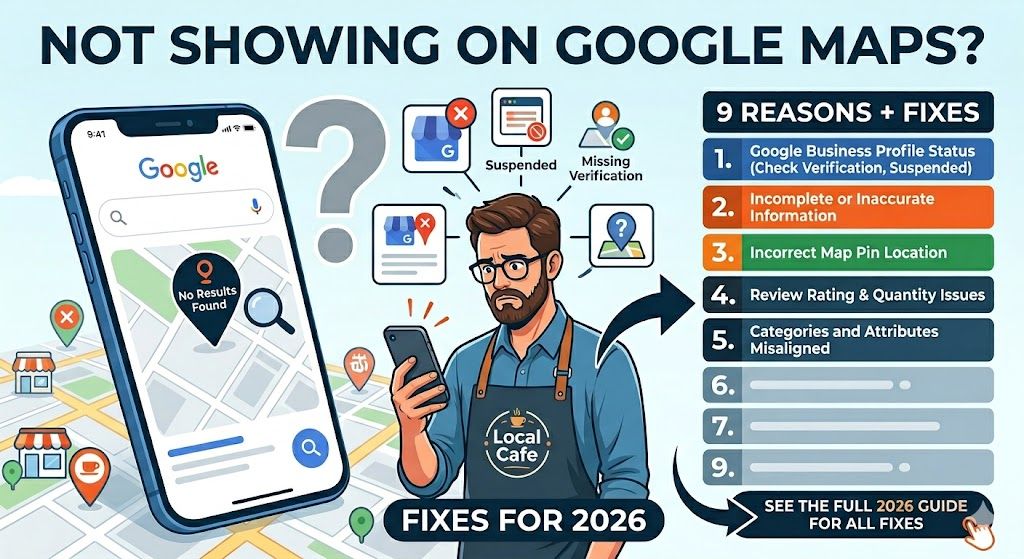
If your business is not showing on Google Maps, you are losing valuable local customers every day.
Google Maps is one of the most powerful sources of local search traffic, especially for service-based and location-based businesses. However, many businesses struggle with visibility even after setting up their Google Business Profile.
In this guide, you’ll learn the exact reasons your listing is not appearing and how to fix each issue step by step.


🔎 1. Your Google Business Profile Is Not Verified
One of the most common reasons your business is not visible is unfinished verification.
Until verification is complete, Google will not show your listing publicly.
Common issues:
- Postcard verification pending
- Phone/email verification not available
- Verification failed or expired
How to fix:
- Complete verification via postcard or available method
- Ensure address is accurate and matches documents
- Avoid editing core details during verification
👉 Verification can take up to 14 days depending on location.
⚠️ 2. Your Business Profile Is Suspended
A suspended listing is completely removed from Google Maps visibility.
Common reasons for suspension:
- Keyword stuffing in business name
- Fake or duplicate listings
- Incorrect address usage
- Policy violations
How to fix:
- Review Google Business Profile guidelines
- Correct all violations
- Submit a reinstatement request
Suspensions must be handled carefully or your profile may not return.
📦 3. Incorrect or Missing Business Information (NAP Issues)
NAP stands for:
- Name
- Address
- Phone number
If this information is inconsistent across the web, Google reduces trust in your listing.
Fix:
- Keep NAP identical everywhere
- Match website, social media, and directories
- Avoid spelling variations
📍 4. You Removed or Hid Your Address Incorrectly
If you serve customers at their location but removed your address improperly, Google may stop showing your listing.
Fix:
- Set your business as a Service Area Business
- Add service locations instead of removing address
- Update settings inside Google Business Profile
🔁 5. Duplicate Google Business Listings
Creating multiple listings for the same business confuses Google and can cause ranking removal.
Fix:
- Keep only ONE verified listing per location
- Merge or delete duplicates
- Request support if unsure
🏢 6. Shared Address With Another Business
If multiple businesses use the same address incorrectly, Google may filter listings.
Fix:
- Clearly define separate units/suites
- Verify each business properly
- Avoid overlapping categories at same location
📉 7. Weak Local SEO Authority
Google ranks businesses based on trust and authority, not just setup.
Key ranking signals:
- Reviews and ratings
- Backlinks from local sites
- Citations in directories
- Engagement (calls, clicks, directions)
Fix:
- Get consistent reviews
- Build local backlinks
- Submit to business directories
⚙️ 8. Poor Google Business Profile Optimization
An incomplete profile will always rank lower than competitors.
Optimize your profile with:
- Correct primary category
- Secondary categories
- Business description (keyword optimized)
- High-quality images
- Regular posts
- Updated services/products
📍 9. Proximity to Search Location
Google prioritizes businesses near the searcher.
Example:
If someone searches “plumber near me”, Google shows nearby businesses first.
Fix:
- Add multiple service areas
- Create location-specific pages on your website
- Build local citations in target cities
📊 Bonus: Indexing & Algorithm Factors
Your visibility is also affected by:
- Google index updates
- Local ranking algorithm filters
- Competitor authority
Google evaluates:
- Relevance
- Distance
- Prominence
🚀 How to Improve Your Google Maps Ranking Fast
To improve visibility, focus on:
- Consistent NAP across all platforms
- Weekly Google Posts
- Regular customer reviews
- Local backlinks
- Complete profile optimization
- Geo-targeted content on website
Key Takeaways
- Verification is mandatory for visibility
- Suspensions remove listings completely
- Consistency builds trust
- Reviews and backlinks boost ranking
- Proximity affects local results
FAQ (Schema Included)
FAQ Section
Why is my business not showing on Google Maps?
Your business may not show due to incomplete verification, suspension, poor optimization, or weak local SEO signals.
How long does it take for a business to appear on Google Maps?
Usually 24 hours to 14 days depending on verification status and Google processing time.
How do I fix a suspended Google Business Profile?
Fix policy violations, update correct business details, and submit a reinstatement request.
Why is my business not ranking in local search?
Low reviews, weak backlinks, inconsistent NAP, or poor optimization can reduce ranking.
Can I rank in Google Maps without a physical location?
Yes, if you are a service-area business, you can rank using defined service locations.